
iOS 用户如何在 iMe 中关闭 Telegram Stories:
- 打开 iMe 并转到“设置”。
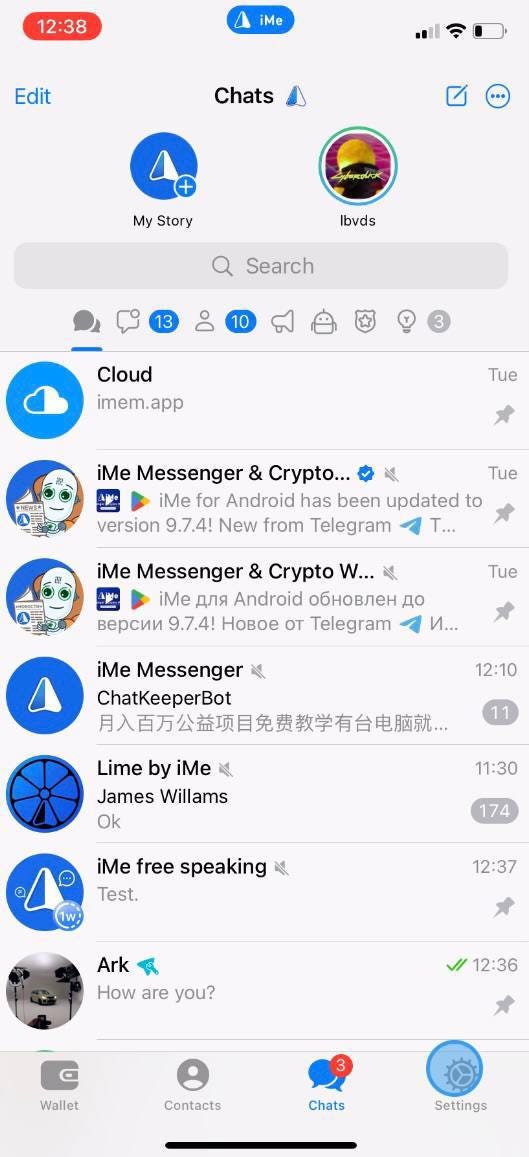
 iMe 禁用 Telegram Stories,享受无干扰体验"/>
2. 选择“我的故事”,然后点击右上角的“三个点”以访问其他设置。
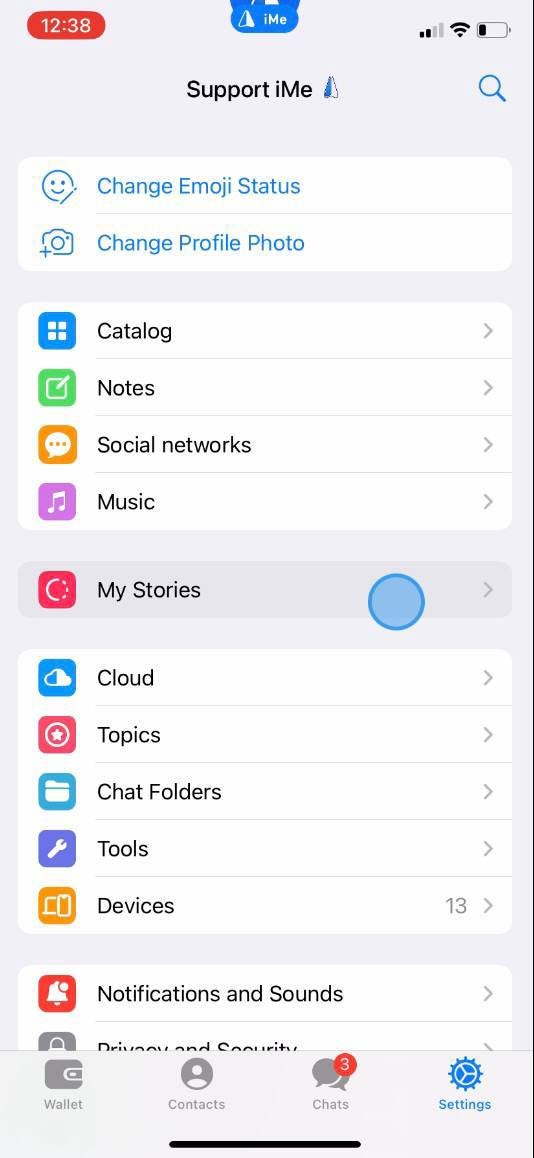 iMe 禁用 Telegram Stories,享受无干扰体验"/>
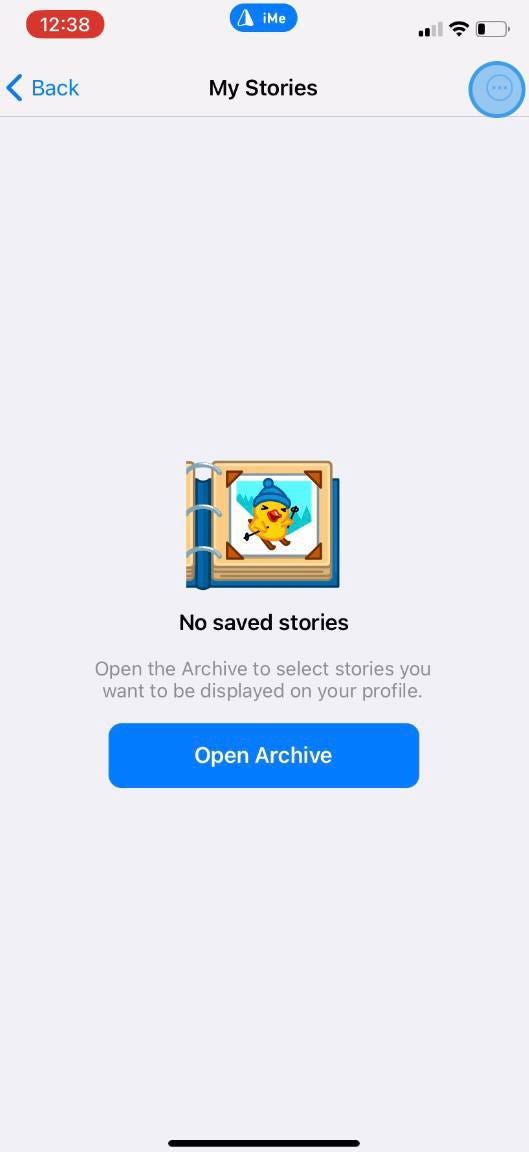 iMe 禁用 Telegram Stories,享受无干扰体验"/>
3. 点击“设置”,你会发现关闭“启用故事”开关的选项。
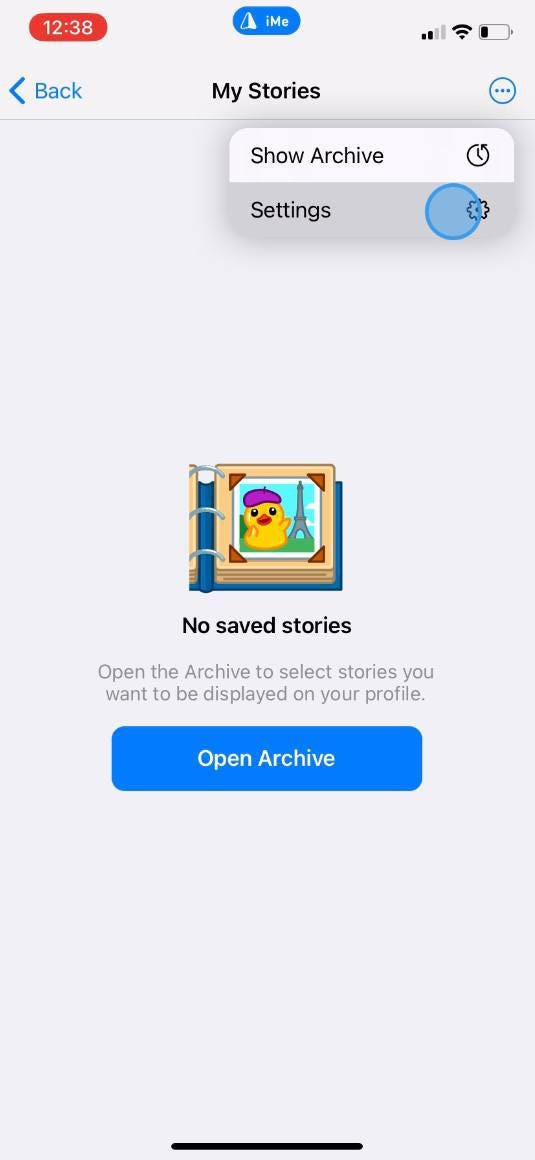 iMe 禁用 Telegram Stories,享受无干扰体验"/>
4. 关闭开关,瞧!您已成功在 iMe 中禁用 Telegram Stories。
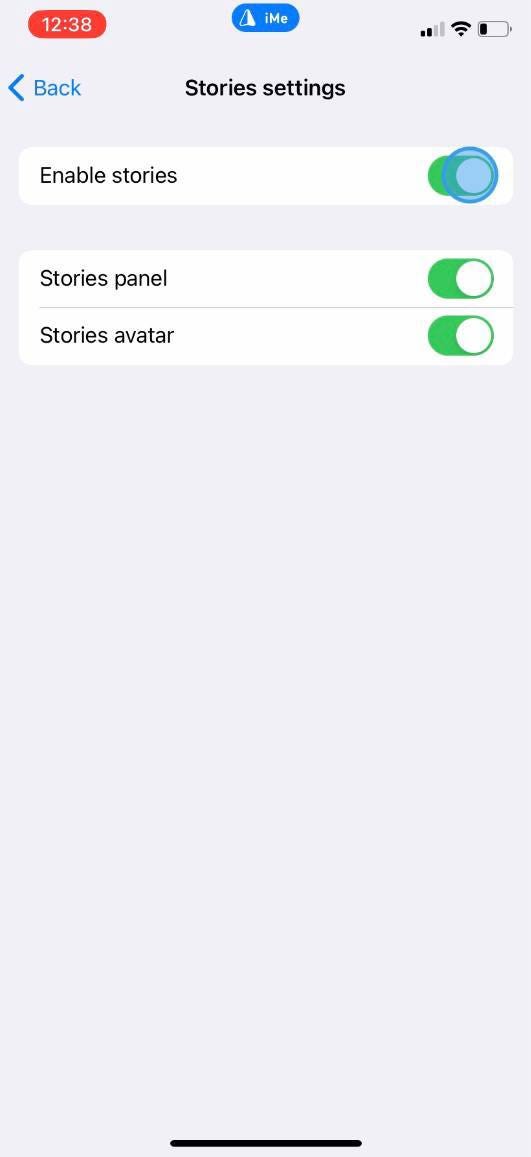 iMe 禁用 Telegram Stories,享受无干扰体验"/>
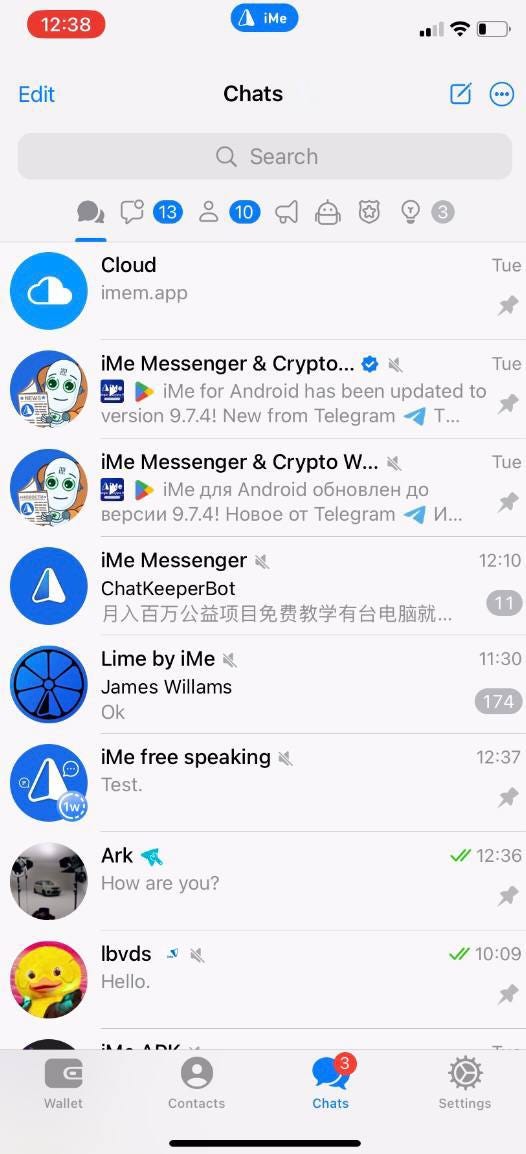 iMe 禁用 Telegram Stories,享受无干扰体验"/>
Android 用户如何在 iMe 中关闭 Telegram Stories:
- 打开 iMe 并访问左上角的主菜单。
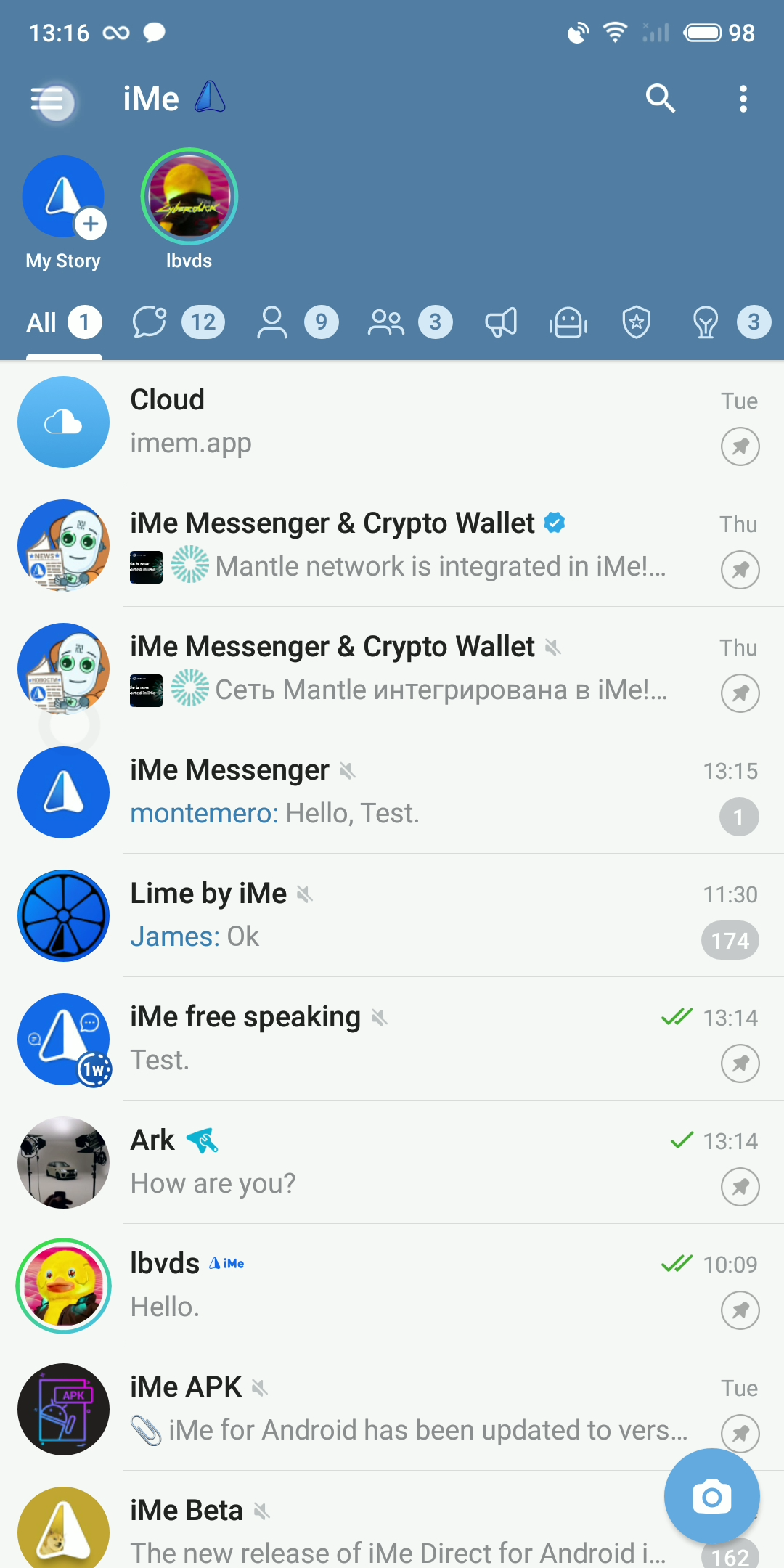 iMe 禁用 Telegram Stories,享受无干扰体验"/>
2. 点击“我的故事”,然后点击右下角的“设置”齿轮图标。
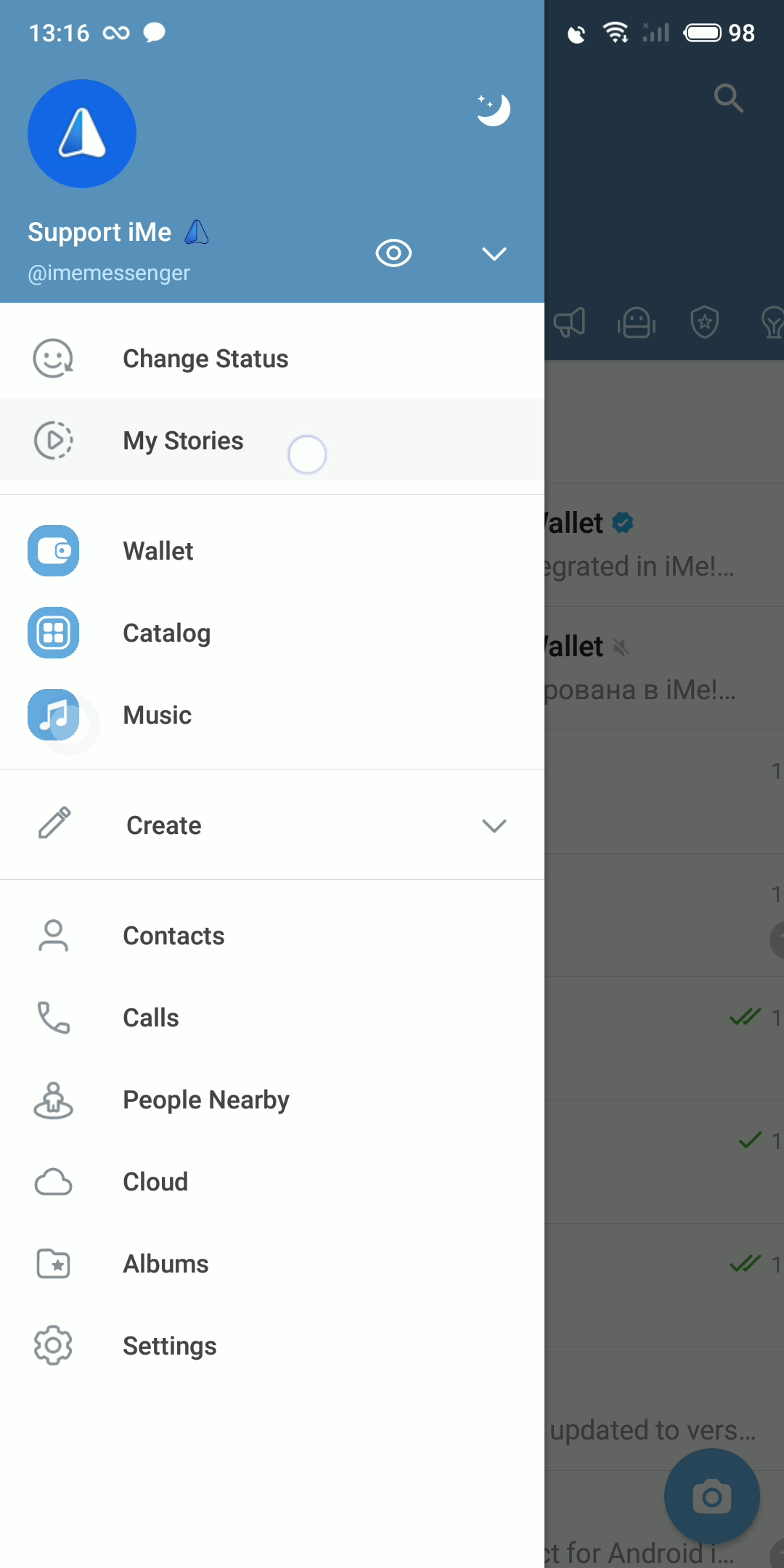 iMe 禁用 Telegram Stories,享受无干扰体验"/>
3. 找到“启用故事”开关。
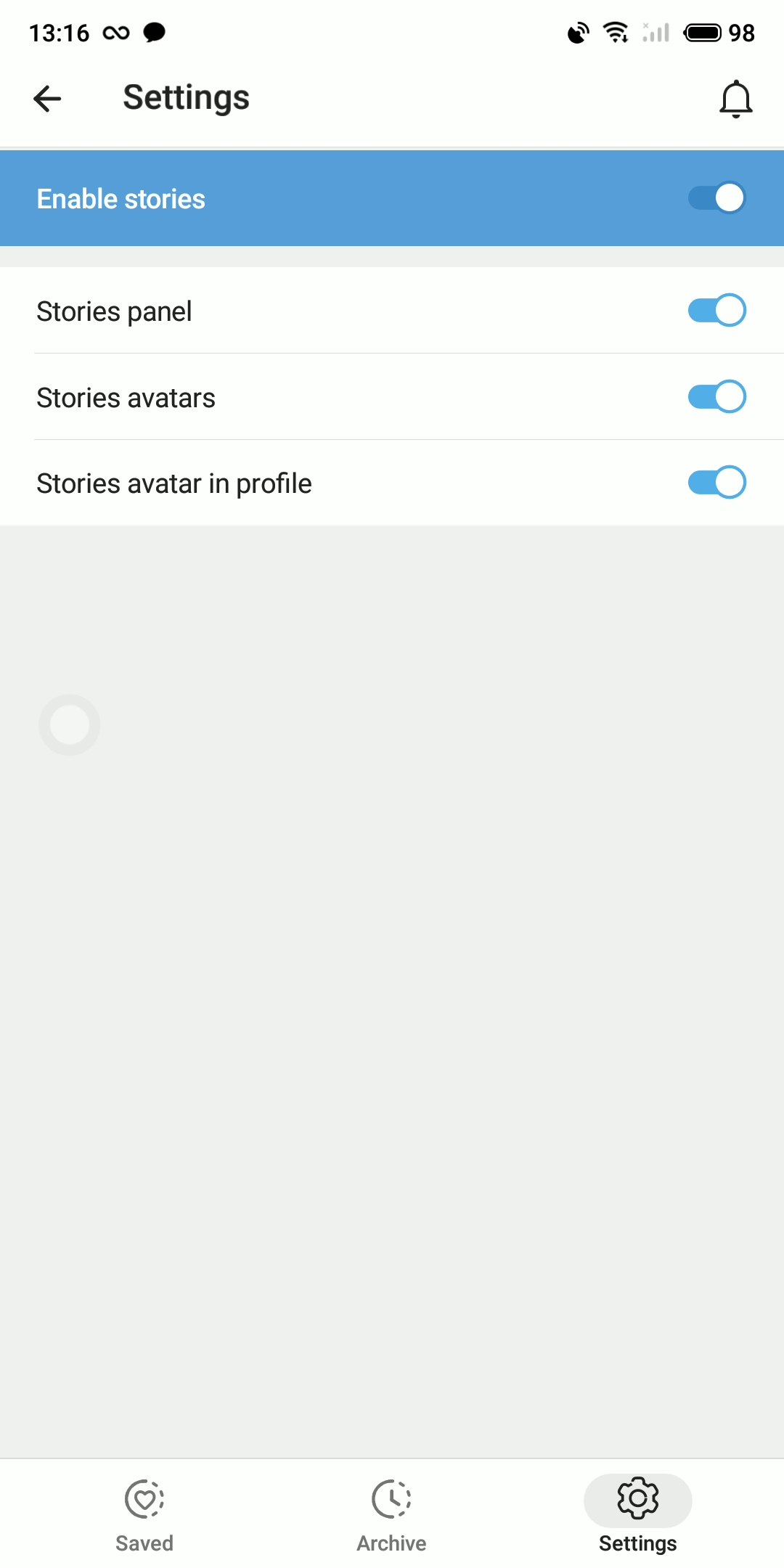 iMe 禁用 Telegram Stories,享受无干扰体验"/>
4. 关闭开关,一切就绪!Telegram Stories 将不再影响您在 Android 上的 iMe 体验。
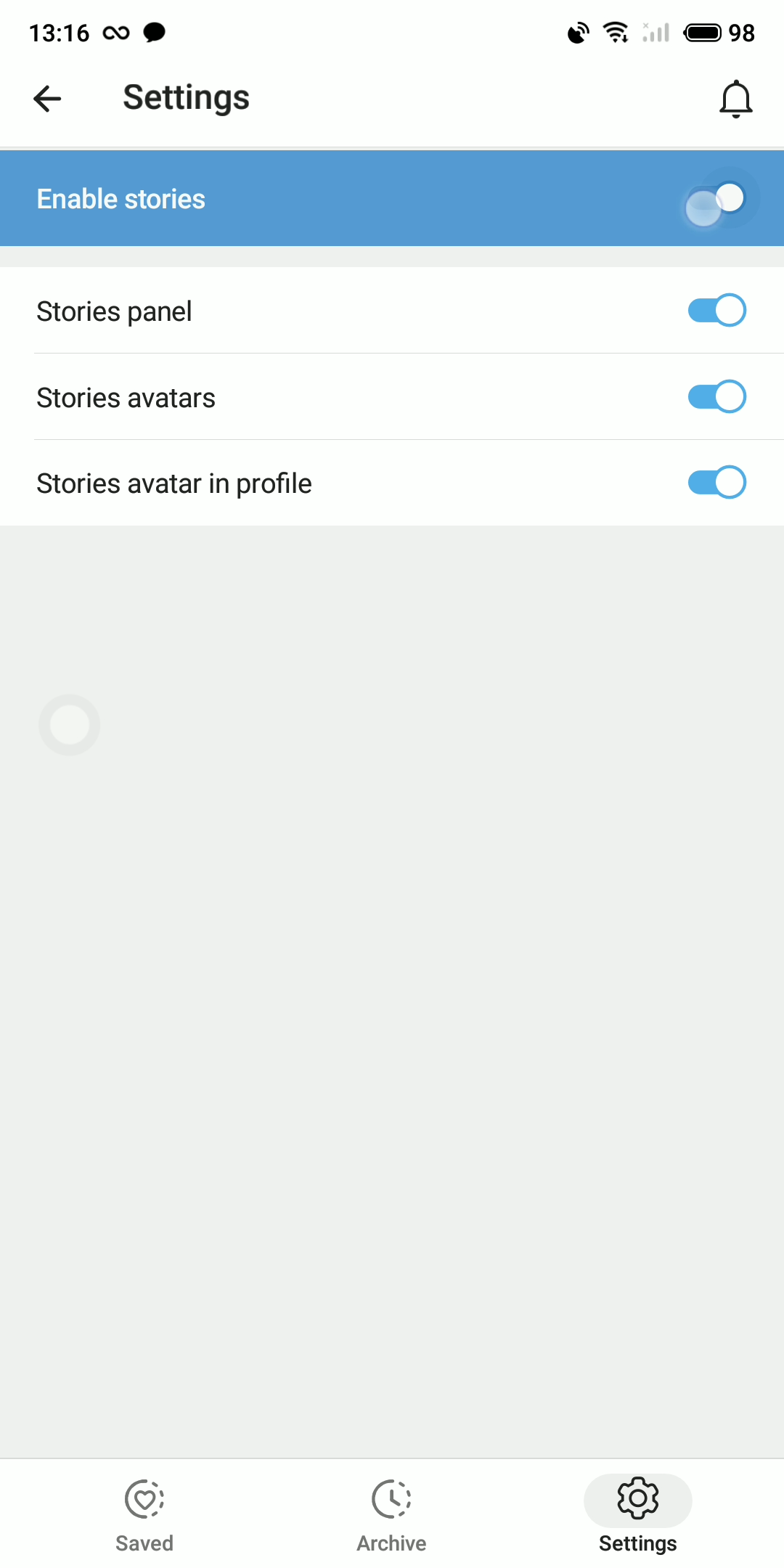 iMe 禁用 Telegram Stories,享受无干扰体验"/>
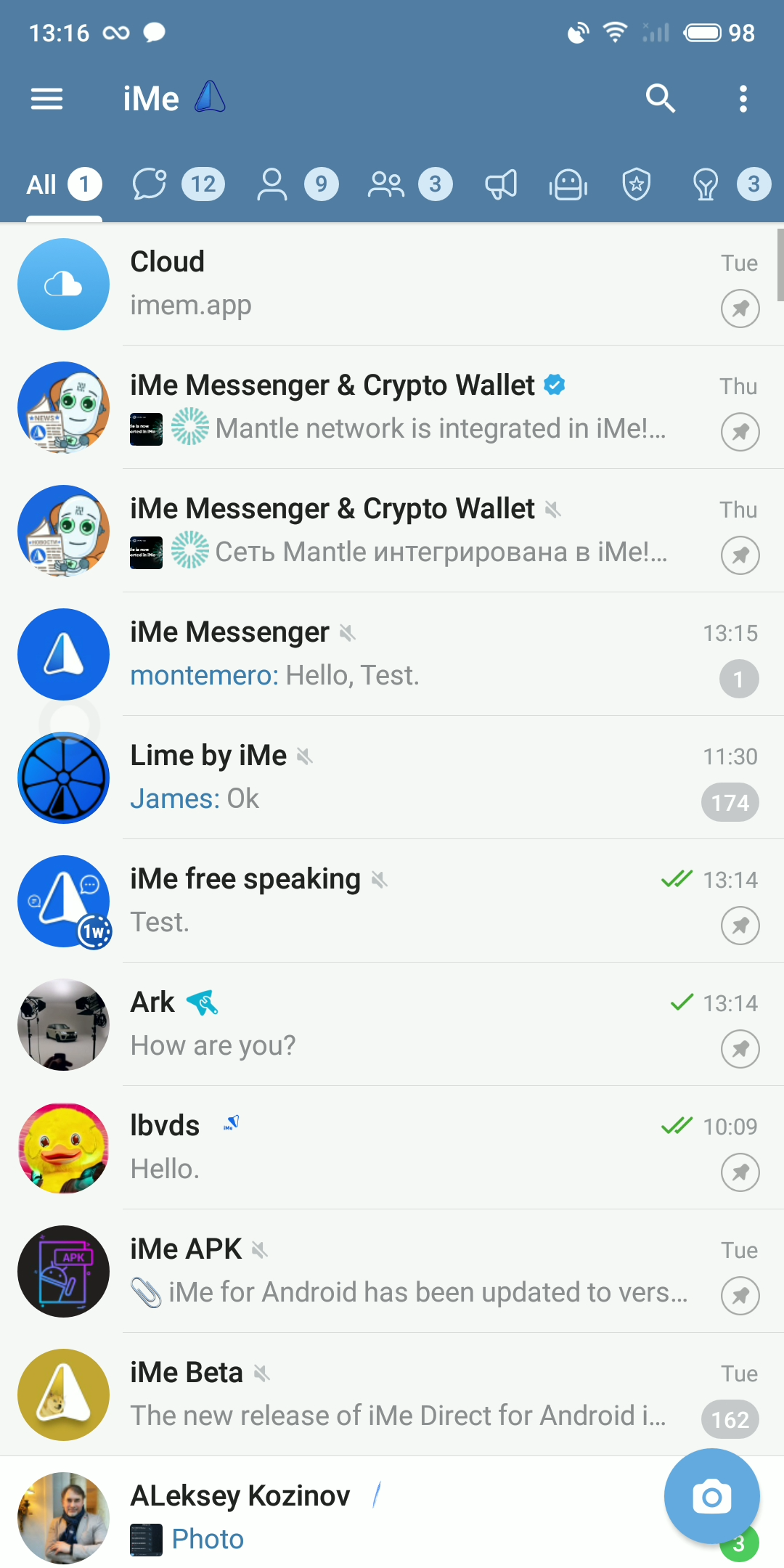 iMe 禁用 Telegram Stories,享受无干扰体验"/>
全部搞定!拥抱更高效的工作与生活平衡!